SSH & Server Monitor

Monitor all your
servers from iPhone

Full SSH terminal, real-time server monitoring, Docker & Podman management, SFTP file browser — all in one app. No subscription required.

App Store Free · In-App Purchases
ChibyooShell
🖥 SSH Terminal 📊 Server Monitoring 🐳 Docker & Podman 📁 SFTP Browser 🔑 SSH Key Manager 🔀 Port Forwarding
01

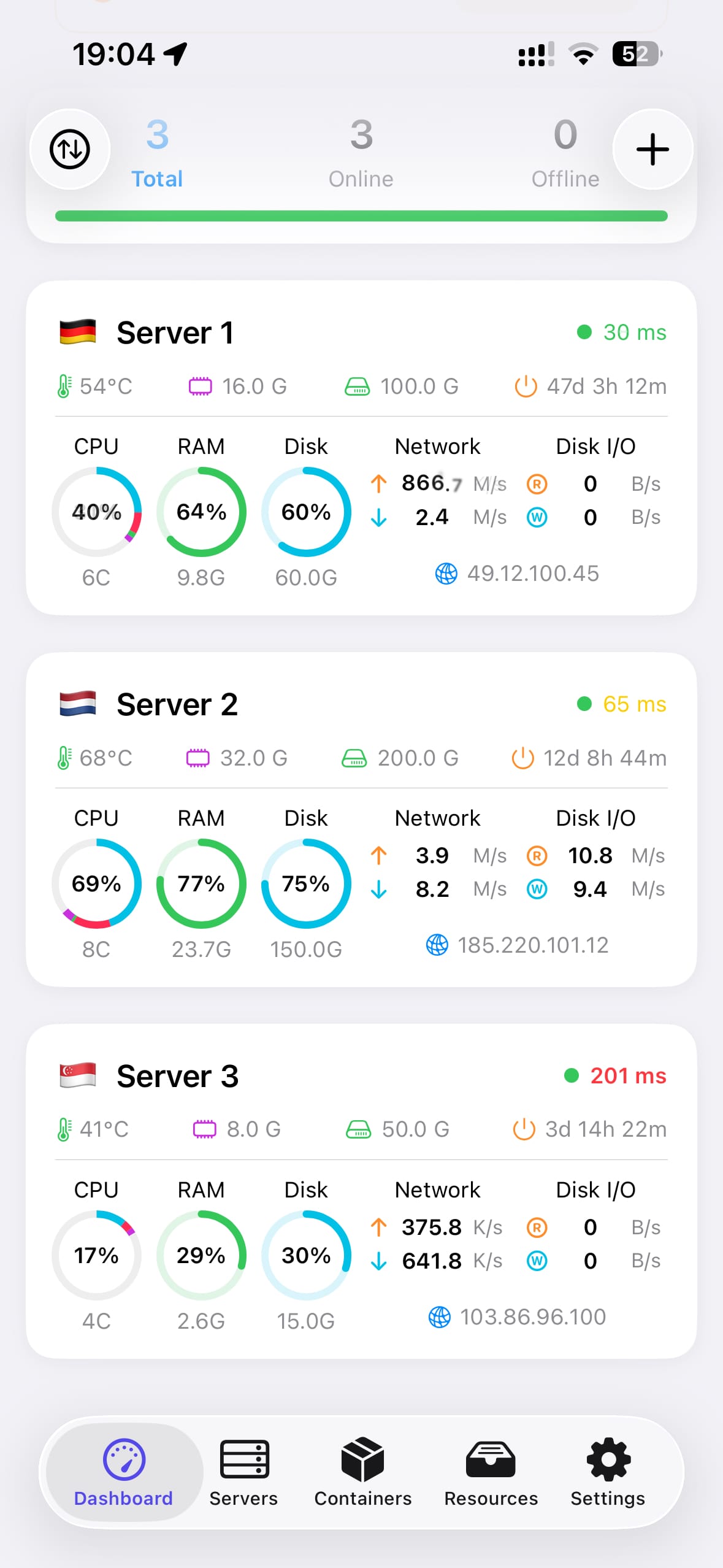
Real-time server monitoring

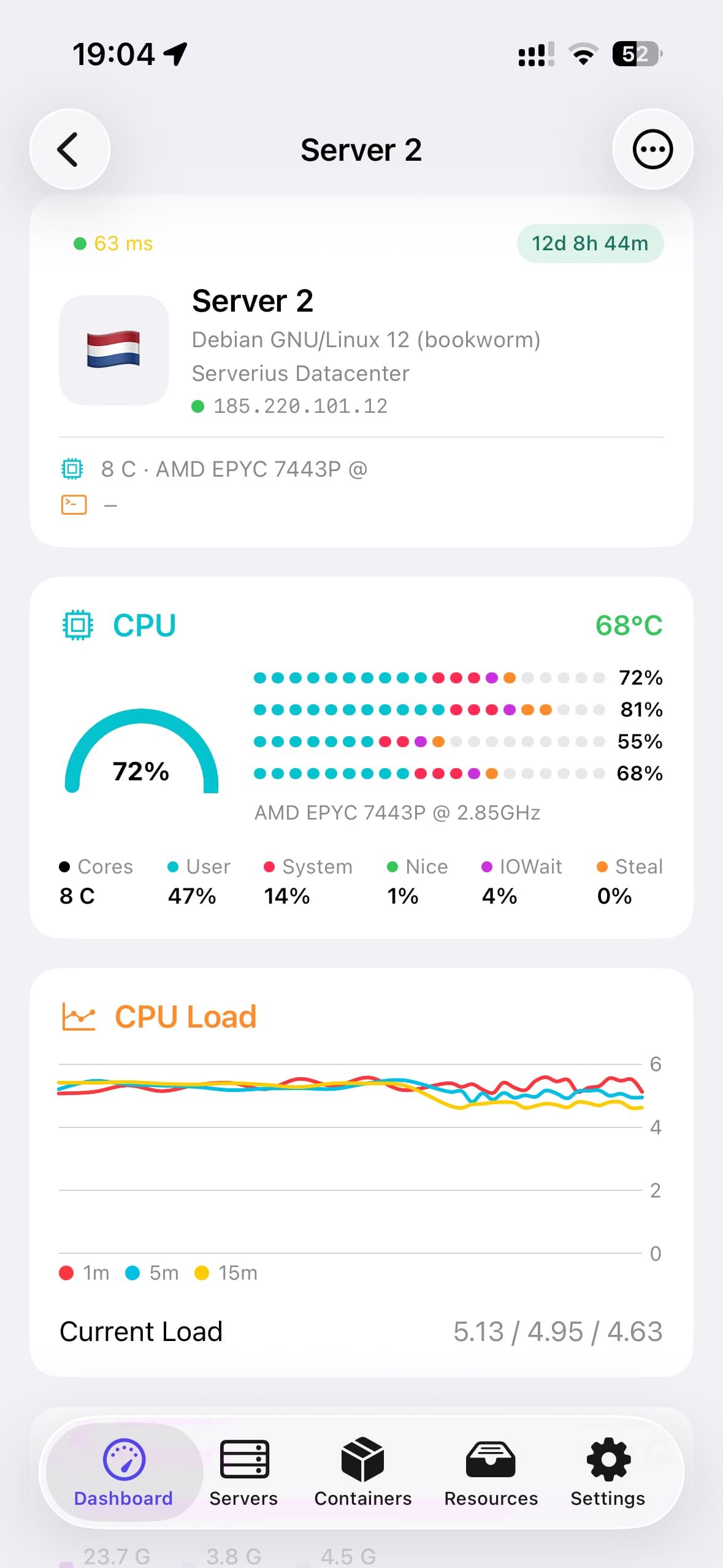
See CPU, RAM, disk and network stats for all your Linux servers at a glance. Monitor temperature, uptime, load average and active processes — updated in real time.

  • CPU, RAM, disk & network in real time
  • Server temperature & uptime
  • Active processes list
  • Ping latency & connection status
  • Server geolocation & IP info
Server monitoring
SSH Terminal
02

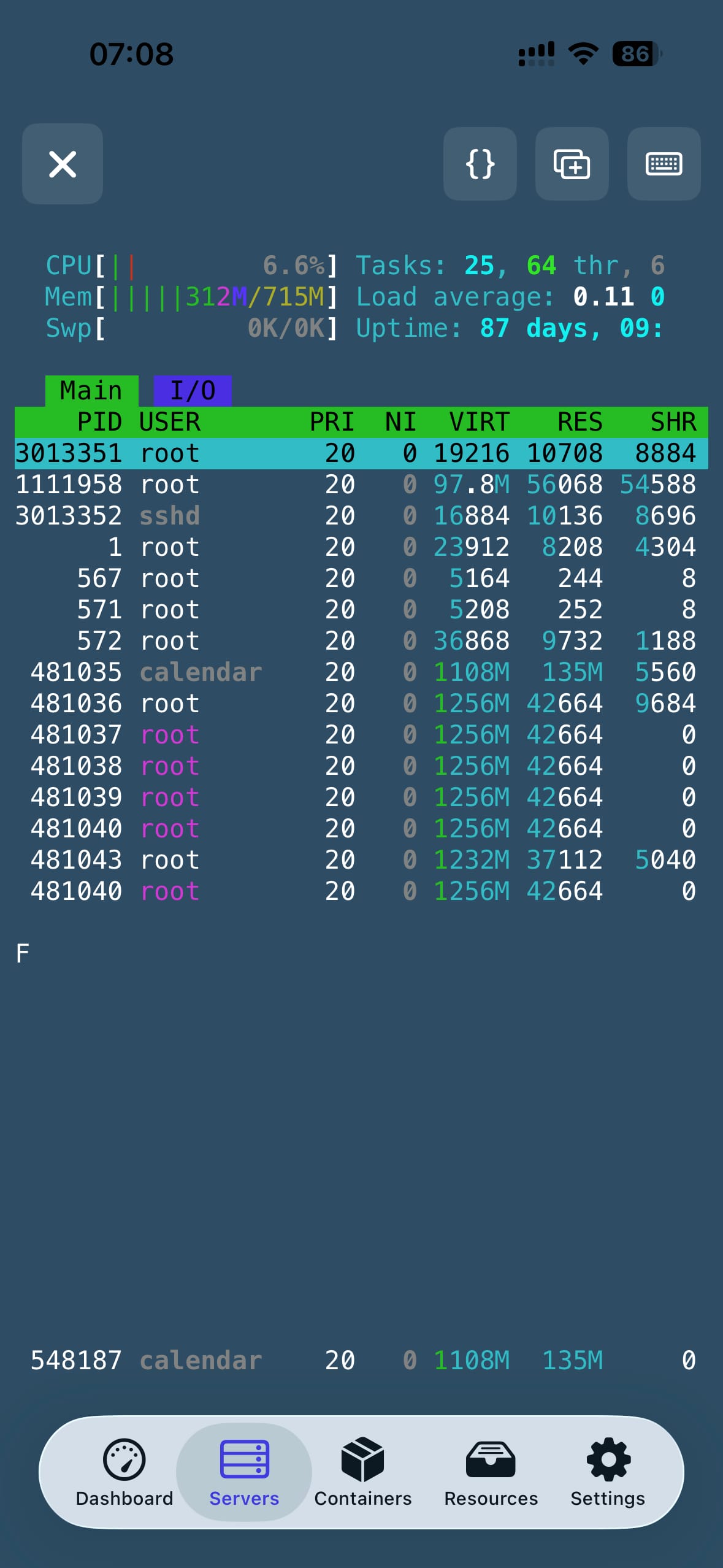
Full SSH terminal

A complete SSH terminal right on your iPhone. Supports password and key-based authentication, ed25519 and RSA keys, custom keyboard with special characters, and multiple simultaneous sessions.

  • Password & SSH key authentication
  • Ed25519 & RSA key support
  • Custom keyboard with special characters
  • Multiple simultaneous sessions
  • Fira Code font, customizable theme & size
03

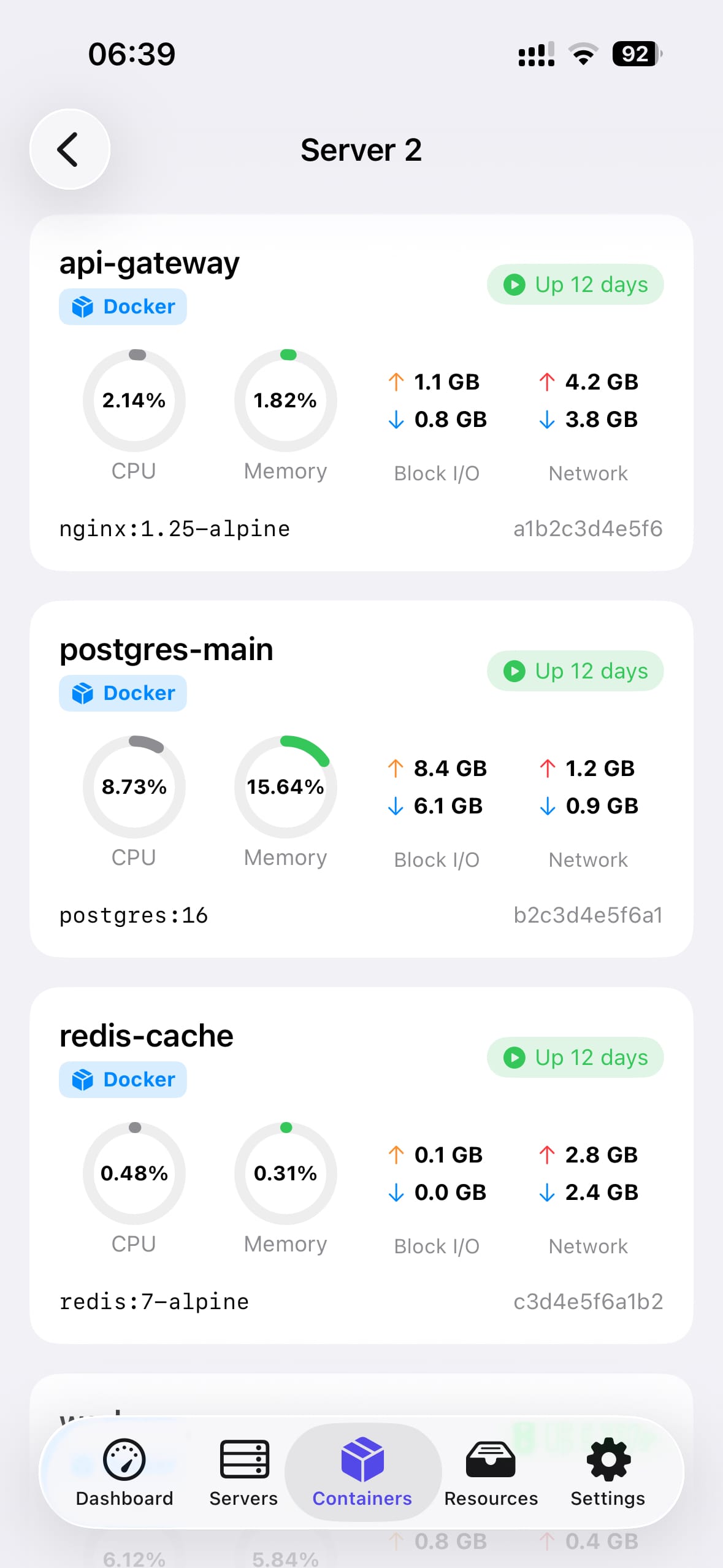
Docker & Podman management

Browse, start, stop and restart your containers directly from your iPhone. View CPU and memory usage per container, check logs and manage your whole stack on the go.

  • List all containers with status
  • Start, stop, restart, remove
  • CPU & memory per container
  • Container logs viewer
  • Docker & Podman supported
Docker management
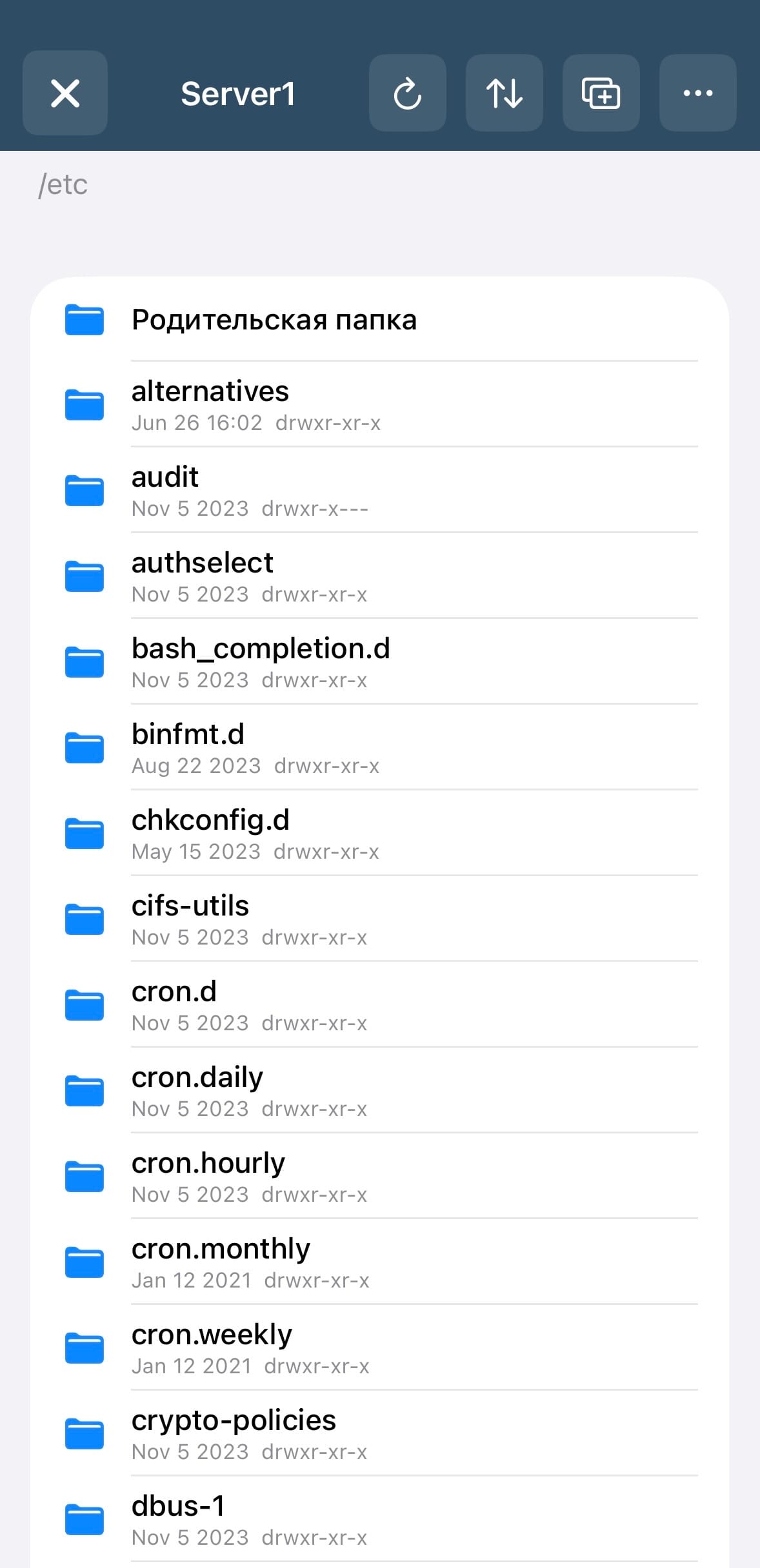
SFTP file browser
04

SFTP file browser

Browse, upload, download and edit files on your remote servers. Built-in text editor lets you modify config files directly on the server without leaving the app.

  • Browse remote file system
  • Upload & download files
  • Built-in text editor for config files
  • Create, rename, delete files & folders
  • Custom default path per server
05

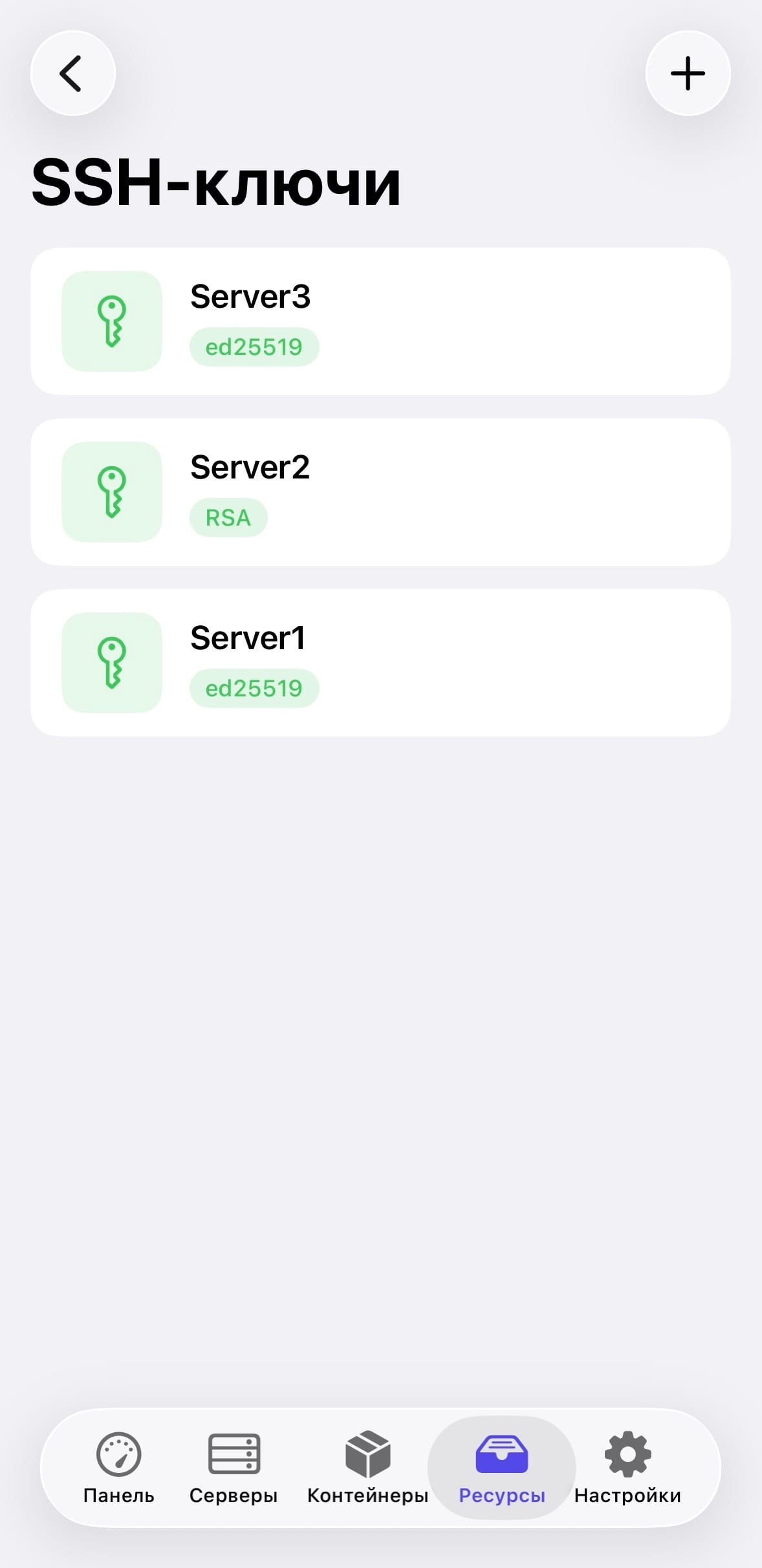
SSH keys & port forwarding

Generate, import and manage SSH keys directly on your iPhone. Set up local and remote port forwarding tunnels to securely access services on your servers.

  • Generate ed25519 & RSA keys on device
  • Import existing private keys
  • Secure storage in iOS Keychain
  • Local & remote port forwarding
  • Command snippets library
SSH keys
Server actions
06

Server actions at your fingertips

Reboot, shutdown or open terminal, SFTP and process list in one tap. Everything you need to manage your servers quickly — without opening a laptop.

  • Quick access to terminal, SFTP, processes
  • Reboot & shutdown from iPhone
  • iCloud sync across your Apple devices
  • Face ID / Touch ID protection
  • TOFU host key verification
🔐

Security first

All passwords and SSH keys are stored exclusively in iOS Keychain — never in plain text. Host key verification protects against MITM attacks. Face ID locks the app when you're away.

✓ Keychain storage ✓ Host key verification ✓ Face ID / Touch ID ✓ iCloud encrypted sync

Coming soon

More features are on the way in upcoming updates:

🎮 RCON — game server management (CS, Minecraft and more)
🔔 Alert rules — CPU, RAM and disk threshold notifications
🪜 Jump host & SOCKS5 proxy support
📱 Widgets & Live Activities for server stats

Frequently asked questions

ChibyooShell works with any Linux server that has an SSH server installed — Ubuntu, Debian, CentOS, Fedora, Arch, Alpine and others. The monitoring script runs via SSH and requires bash.
The app connects to your server via SSH and runs a lightweight bash script to collect system metrics — CPU, RAM, disk, network, temperature, uptime and processes. No agent needs to be installed on the server. Everything runs over your existing SSH connection.
The container management feature works if Docker or Podman is installed on your server. If neither is present, the containers tab simply shows no data. All other features — terminal, SFTP, monitoring — work independently without Docker or Podman.
All passwords and SSH private keys are stored exclusively in the iOS Keychain — the secure storage provided by Apple. They are never stored in plain text, never sent to any server, and are protected by the device encryption. If you enable iCloud sync, credentials sync via iCloud Keychain with end-to-end encryption.
Go to Resources → SSH Keys → tap + to generate a new key or import an existing one. Then when adding a server, choose Key authentication and select your key. The app supports ed25519 (recommended) and RSA keys.
Yes. ChibyooShell uses a dual SSH engine — the modern Citadel engine for current servers, with automatic fallback to LibSSH2 for older devices, routers and embedded systems that use legacy algorithms like RSA and older cipher suites.
Enable iCloud sync in Settings → Sync. Your server list and settings will sync across all your Apple devices signed into the same iCloud account. Passwords and SSH keys sync via iCloud Keychain. No registration required.
Port forwarding creates an encrypted SSH tunnel between your iPhone and a remote server. For example, you can forward a local port to access a database or web service on your server as if it were running locally. Go to Resources → Port Forwarding to set up rules.
ChibyooShell is currently iOS only. There are no plans for Android or Mac versions at this time.
Email us at support@chibyoo.comwe respond within 1–2 business days.
ChibyooShell

Your servers, always in reach

Free to download. No subscription.

Download on App Store